Finally, technology on your side.
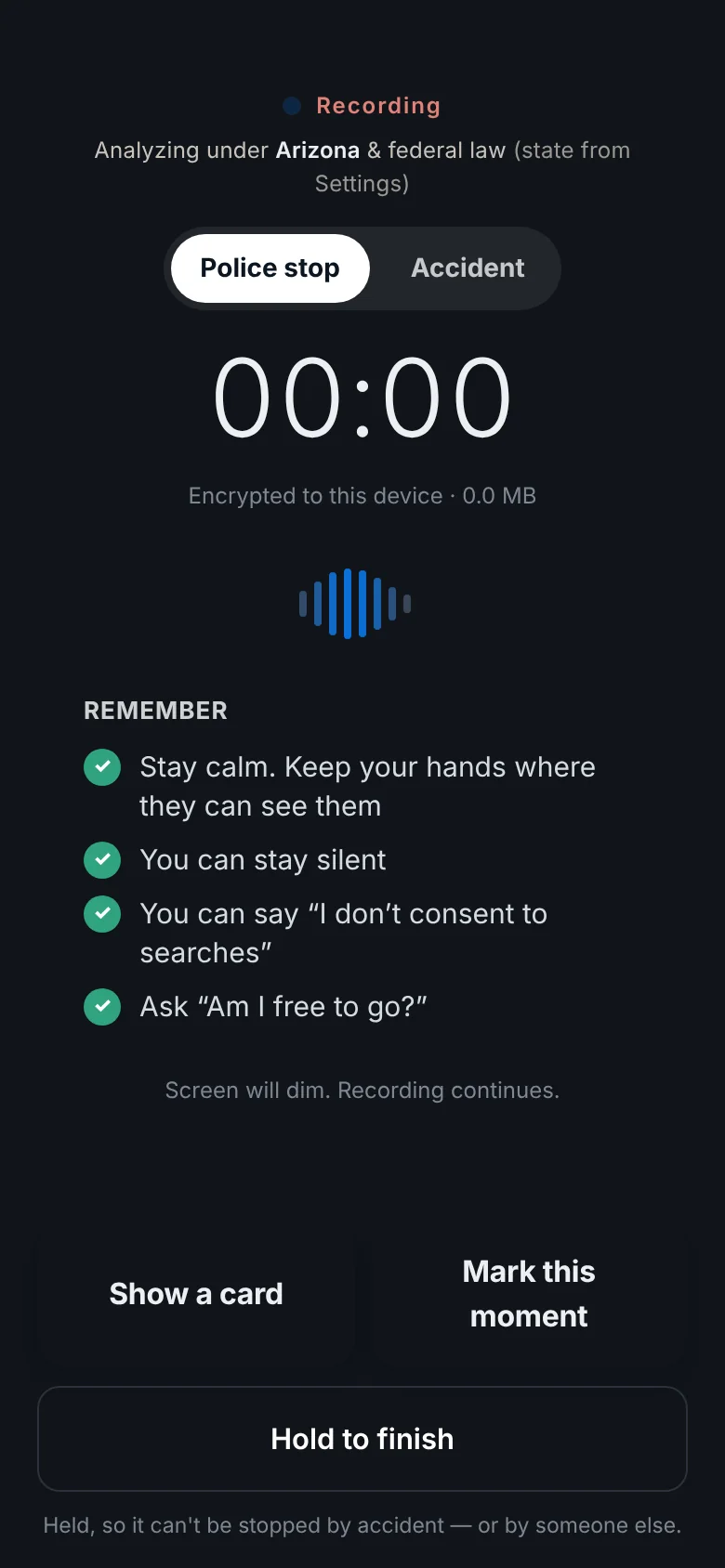
One tap records a police stop or an accident, even with your screen off. Invoked keeps it encrypted on your phone, points out the moments a lawyer will want to hear, and turns it into the letters, evidence and attorney you need next.
- 0:34Officer
License, registration and proof of insurance.
- 1:12Officer
Mind if I take a look in the car?
- 1:15You
I don’t consent to any searches.
- 1:31Officer
Step out. We’re searching it anyway.
The worst moments are the ones you’re least ready for.
You’re not at your sharpest on the side of the road at night, with lights in the mirror or glass on the pavement. Invoked is for that moment, and for everything that has to happen after it.
In the moment, you can’t think
Stress narrows attention. You shouldn’t have to remember what you’re allowed to say, or what to write down. The app shows it on the screen while you record.
Afterward, you can’t remember
Details fade fast, and what you recall may not match what was said. A recording with a timestamped transcript doesn’t drift.
Then the paperwork starts
Tickets, claims and requests all have deadlines and the right words. Invoked writes the letters for you to send, and tracks every date.
You don’t have to know the law in the moment. You just have to start recording.
The app does the rest, in the order a case needs it. Here is a real stop, from the first tap to the attorney.
- 0:00
One tap
Siri, the Action Button, a Lock Screen control or the big red button. Audio keeps recording with the screen off.
- 0:34
It listens and transcribes
The transcript is made on your phone as the conversation happens, with names and times.
- 1:31
It flags what matters
Sentinel points out moments an attorney will ask about, like a search after you said no, with the exact words.
- After
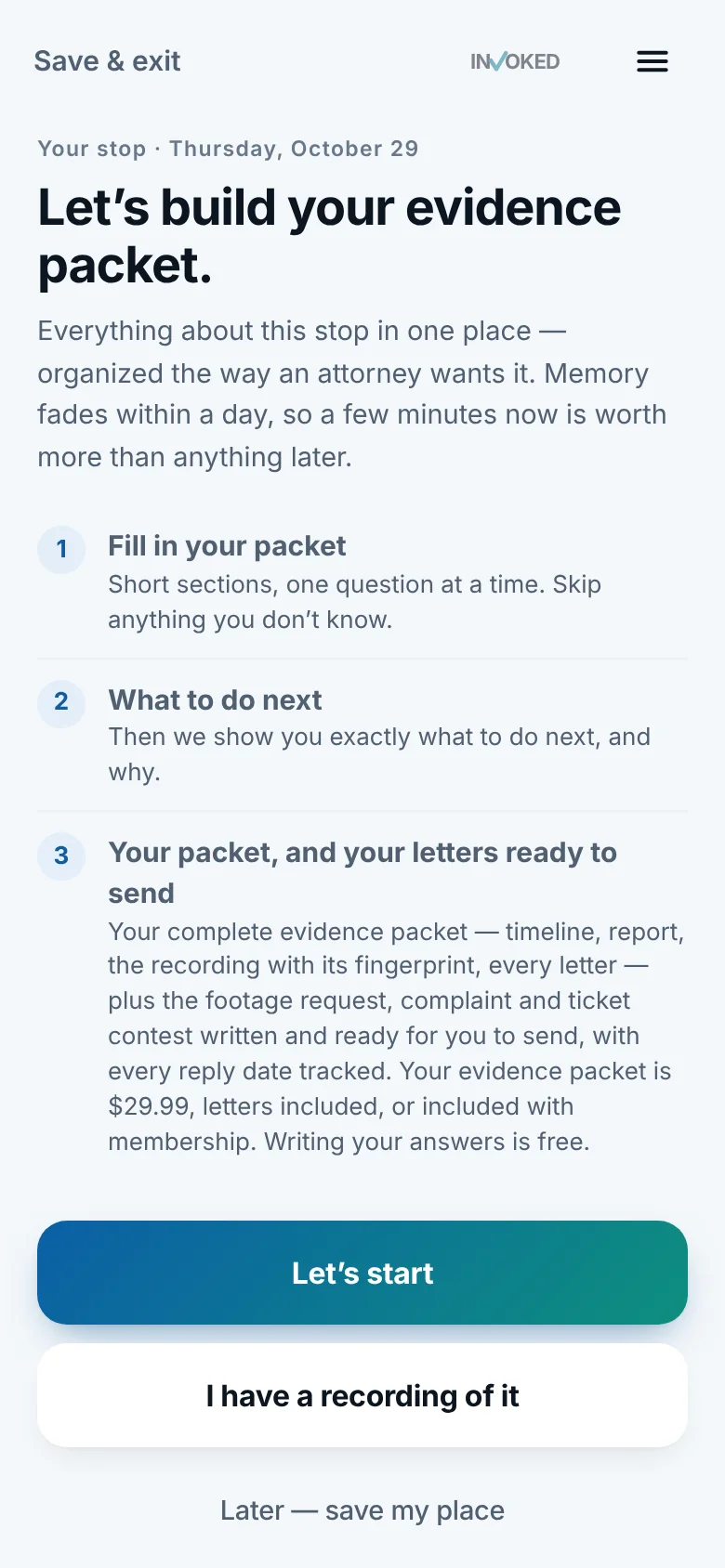
It builds your case file
A timeline, the findings, your photos and notes, and the recording with its fingerprint, in one evidence packet.
- Next
It writes the letters
Bodycam footage request, complaint, ticket contest. Ready for you to send, with every reply date tracked.
- Then
It finds you an attorney
If you want one, you see the best fits with their fee up front.
Built for the moments that go wrong.
Pick the one you’re worried about. Invoked is built around each of them.
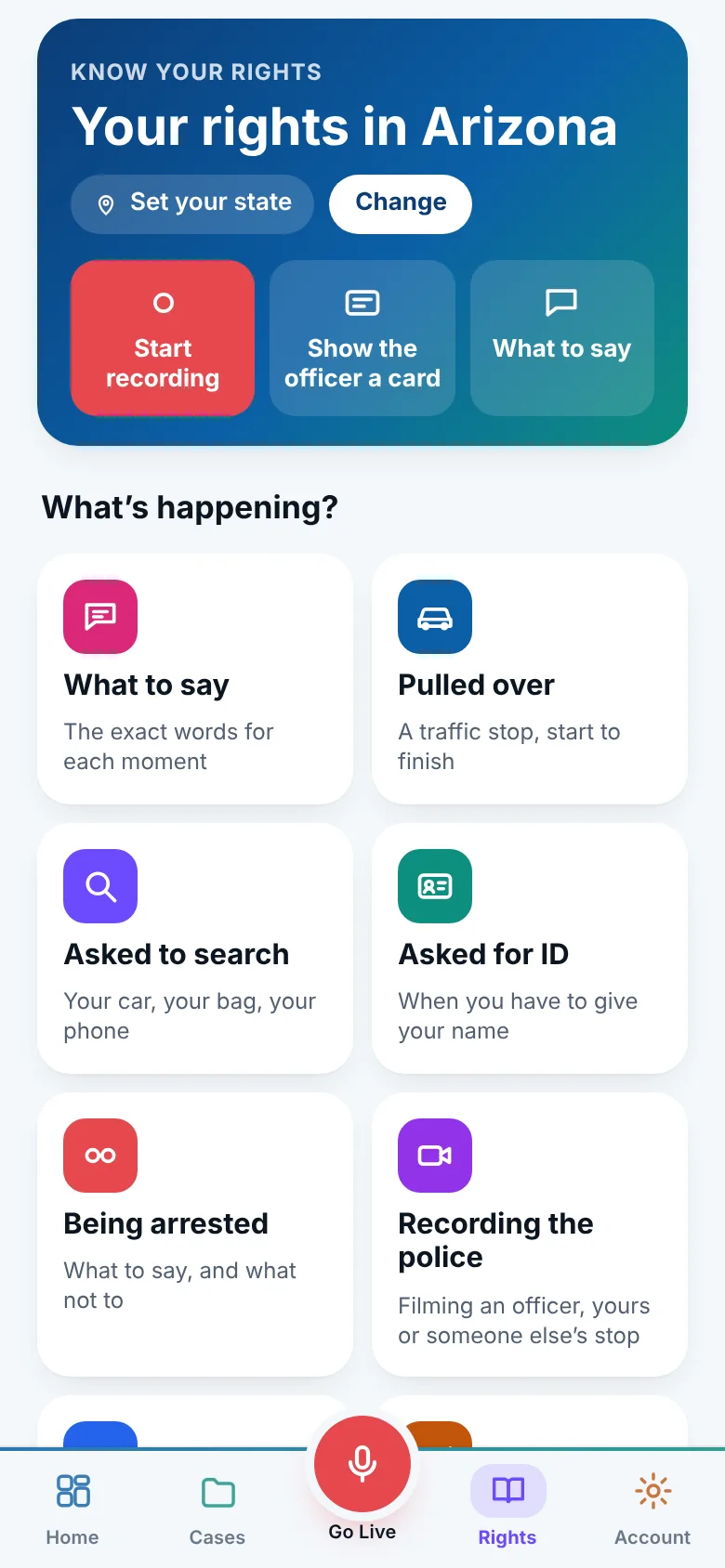
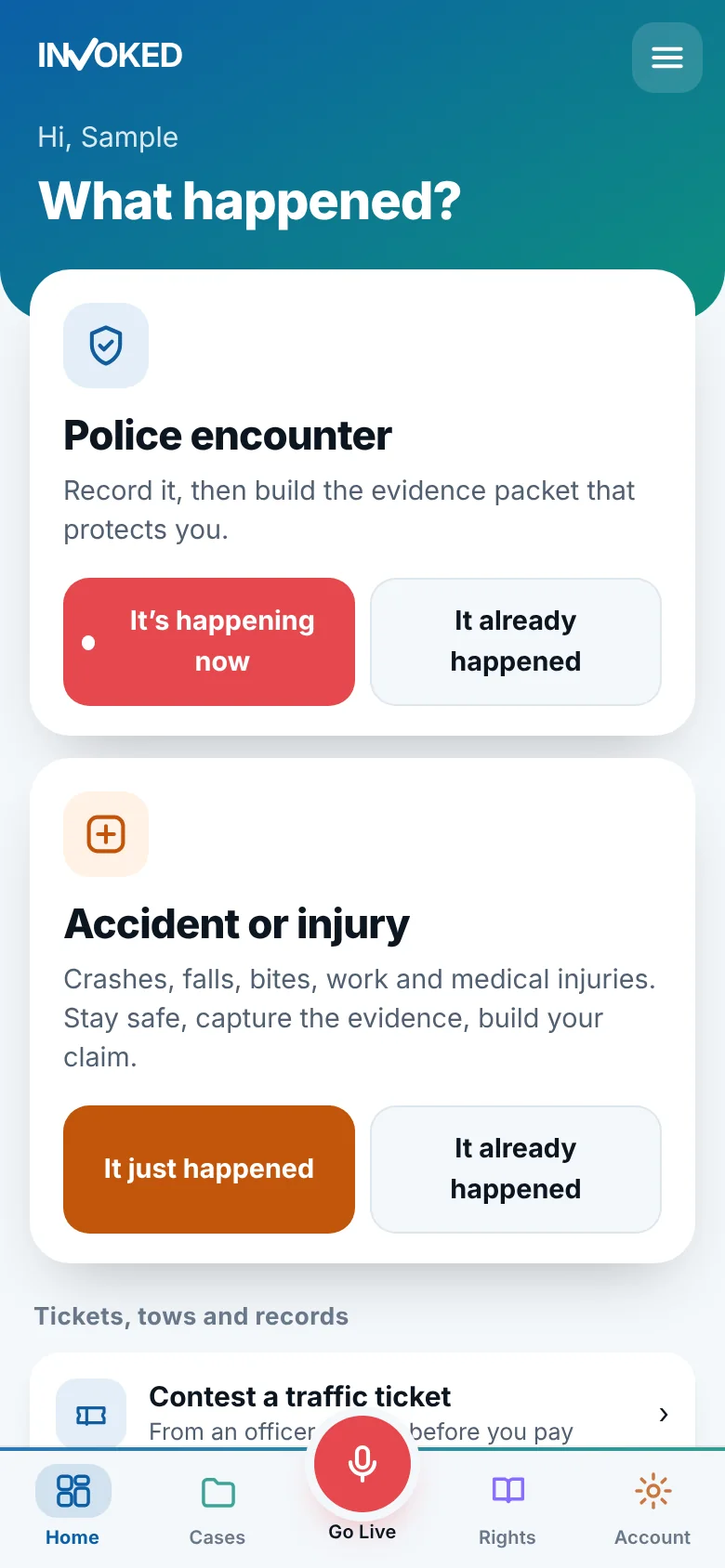
You’re pulled over
Record it, see your rights for your state on the screen, and keep your hands where they can be seen. Afterward, get the findings and the letters.
- What to say, and what you don’t have to
- A request for the bodycam footage
- A complaint, if you want to file one
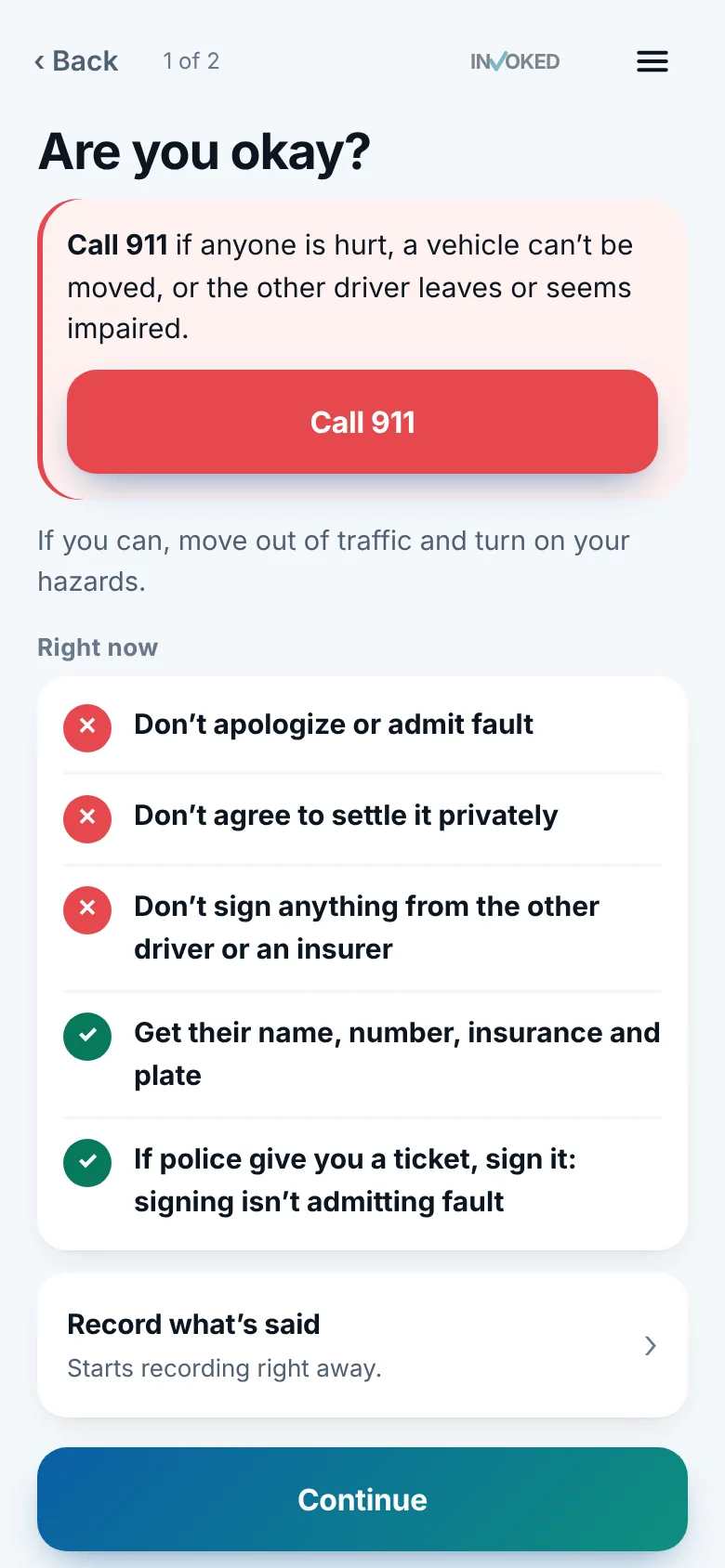
A crash, a fall, a bite, a work injury
Stay safe, then capture the evidence while it’s fresh. 35 kinds of accident and injury, each with the questions an injury attorney will ask.
- Letters that keep the evidence and track your deadlines
- An evidence packet for an adjuster or attorney
- Free consultations with injury attorneys
A ticket you want to understand
Photograph it and Invoked reads the details off it, checks it against your state’s rules, and tracks your deadline.
- What may be wrong with it
- Your contest letter, ready to send
- Reminders before every date
Your car is gone
Snap the tow receipt and the signs. Document where it was, what it cost and what was said, and ask for what you’re owed.
- A record of the tow, with photos
- A demand letter for an illegal tow
- A place for every receipt
Something that’s followed you for years
Find out whether your record can be sealed or expunged in your state, and when. Then get the steps and forms to file it yourself.
- Which options you may qualify for
- The forms and steps, in order
- A reminder when a waiting period ends
Everything between the tap and the outcome.
Not a camera app with a legal skin. Every part of Invoked exists because a real case needs it.
Sentinel reads the recording so you don’t have to
It listens for what isn’t said outright and points out the moments an attorney will ask about, with the exact words and time. It says “may,” never “was.”
Evidence packet
Timeline, findings, photos, notes and the recording with its fingerprint, organized the way an attorney wants it.
Learn moreLetters, written
Bodycam requests, complaints, ticket contests and more. You send them.
Learn moreEvery deadline
Court dates and response windows tracked, with three reminders.
Learn moreAttorney match
Six factors, fees up front, never per case.
Learn moreYour whole file on your computer
Sign in to invokedapp.com with a code from your phone and do it all on a big screen.
Learn morePrivate by design
Encrypted on your phone, out of iCloud backups, and never uploaded unless you choose.
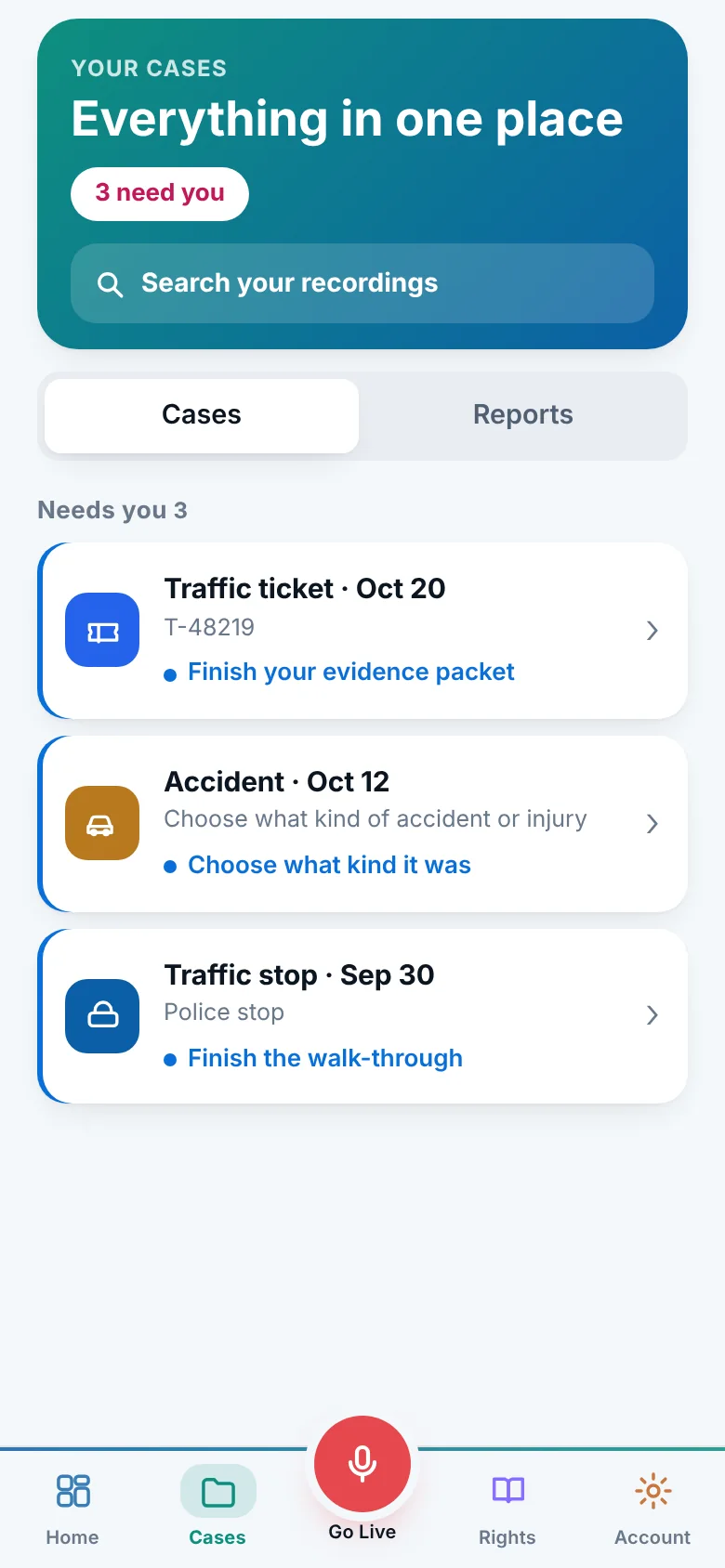
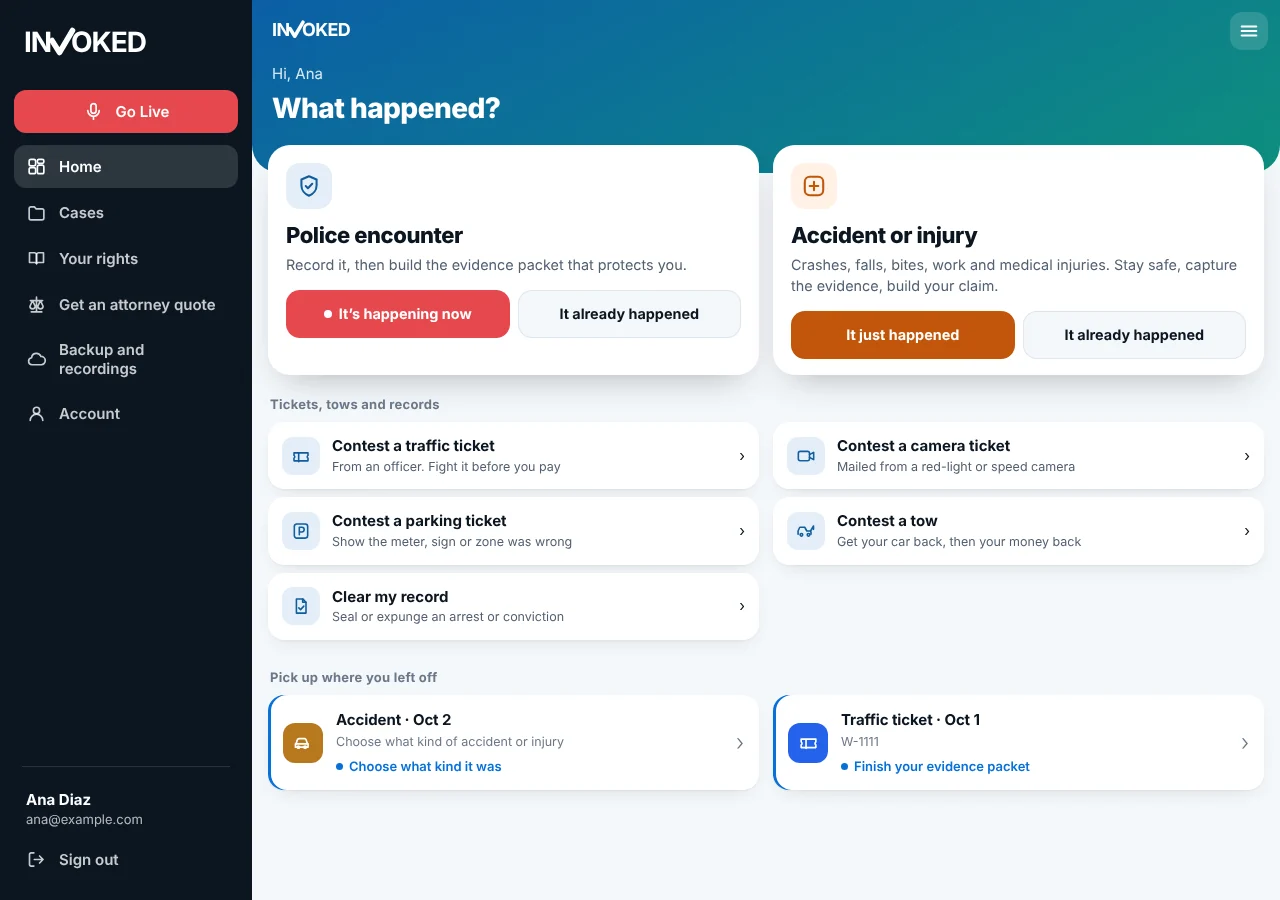
Learn moreYour case, on a full-size screen.
Sign in at invokedapp.com with a six-digit code from your phone and everything is there: your cases, letters, packets and recordings. Read, edit, print and send from your computer, where long forms are easier.
- No password to rememberYour phone shows a code once. The site signs in on its own.
- Still privateYour file is unlocked in your browser. Invoked’s servers never see it.
- In step with your phoneChange something on either one and the other follows.
For anyone who drives, and anyone who loves one.
Everyday drivers
Know what to do and say, and have a record of what happened.
Rideshare and delivery
More hours on the road means more stops and more accidents to document.
Parents of new drivers
A calm plan for a teen’s first stop, and a way to review it together.
People with an old record
See whether sealing or expungement is possible, and what comes next.
Why not just use the camera app?
You can. Here is what you’d be missing.
| Phone camera or voice memo | Invoked | |
|---|---|---|
| Starts hands-free | You have to unlock and find it | Siri, Action Button, Lock Screen, Back Tap |
| Keeps going, screen off | Depends on the app | Built for it |
| Shows what to say | No | Your state’s rules, on the recording screen |
| Finds what matters | Hours of audio to listen to | Flagged moments with exact words and times |
| Turns it into a case | A file in your camera roll | Packet, letters, deadlines, attorney match |
| Private | Mixed in with your photos and iCloud | Encrypted, kept out of iCloud backups |
Your recording stays yours.
Invoked is built so that almost nothing about you ever leaves your phone.
Encrypted on your phone
Recordings are encrypted by iOS, kept out of iCloud backups, and never uploaded unless you choose to share or back them up.
Your choice, every time
Features that use the cloud, like Sentinel and cloud transcription, ask first, and you can turn them off.
No ads, no tracking
We don’t sell your data or let anyone track you, and you can delete everything from the app.
Free to record. Always.
Nobody at the side of the road should run into a paywall. Recording, every recording you make, and your rights stay free.
Free
- Record police stops and accidents, with one tap or hands-free
- Keep every recording you make
- Know your rights for your state
- Sentinel reads your first recording, once you allow it
Membership
- An evidence packet for every police stop and accident
- Sentinel on every police-stop and crash recording
- 5 ticket contests a year
- Letters ready to send, with follow-ups
- Reminders before every court date and deadline
- One membership for your whole Apple Family
Billed through Apple, cancel anytime. Or buy a single evidence packet in the app, with no membership.
Read before you need it.
Plain-language guides, free to read. No account, no email.
Pulled over by police: what to do, step by step
A calm, step-by-step guide to a traffic stop: pulling over safely, what to say, what to write down afterward, and when a lawyer may be worth a call.
5 min readAccidents & injuriesWhat to do after a car accident: a practical checklist
What to do at the scene of a crash and in the days after: safety, information to exchange, photos, police reports, insurance calls and records to keep.
5 min readTickets & towsShould you contest a traffic ticket? How to weigh your options
Paying, traffic school, or a court date: what each option for a traffic ticket usually means, what to weigh, and when a lawyer may make sense.
5 min readAre you an attorney?
People come to you with their evidence already organized, matched to the cases you take in the counties you choose. A flat listing fee, never per case.
Questions
The short answers. There are more on the questions page, and our support team replies within a day.
Is it legal to record the police?
In most places, yes. Federal appeals courts across the country have recognized a right to record police doing their jobs in public, as long as you don’t interfere. Some states require everyone’s consent to record a private conversation, and a few limit how close you can be. Invoked shows the rule for your state. Read the guide.
Is Invoked a law firm?
No. Invoked records, organizes and points out what may matter, and writes letters for you to send yourself. It doesn’t give legal advice. When you want advice, it can connect you with an attorney.
Does it work without a signal?
Recording does. It saves to your phone, so a dead zone or airplane mode won’t stop it, and transcripts are made on your phone too. A few extras, like Sentinel, need a connection.
What if the app isn’t open when I’m pulled over?
Start it without unlocking your phone: Siri, the Action Button, a Lock Screen control or Back Tap. Setting one up takes a minute, and the app walks you through it. See the options.
Who can see my recordings?
Only you. Recordings are encrypted on your phone, kept out of iCloud backups, and never uploaded unless you choose to back them up or share them. How the privacy works.
Is there an Android version?
Not yet. Invoked is on iPhone first. Leave your email on the Get the app page and we’ll tell you when Android is ready.
The app we hope you never need.
It takes two minutes to set up, and it’s there the moment you do.
Already have it? Sign in on the web.