One tap. Even with the screen off.
The recorder is built for the worst moment to fumble a phone. Start it without unlocking, keep your eyes on the road, and let it write to your phone as it goes.
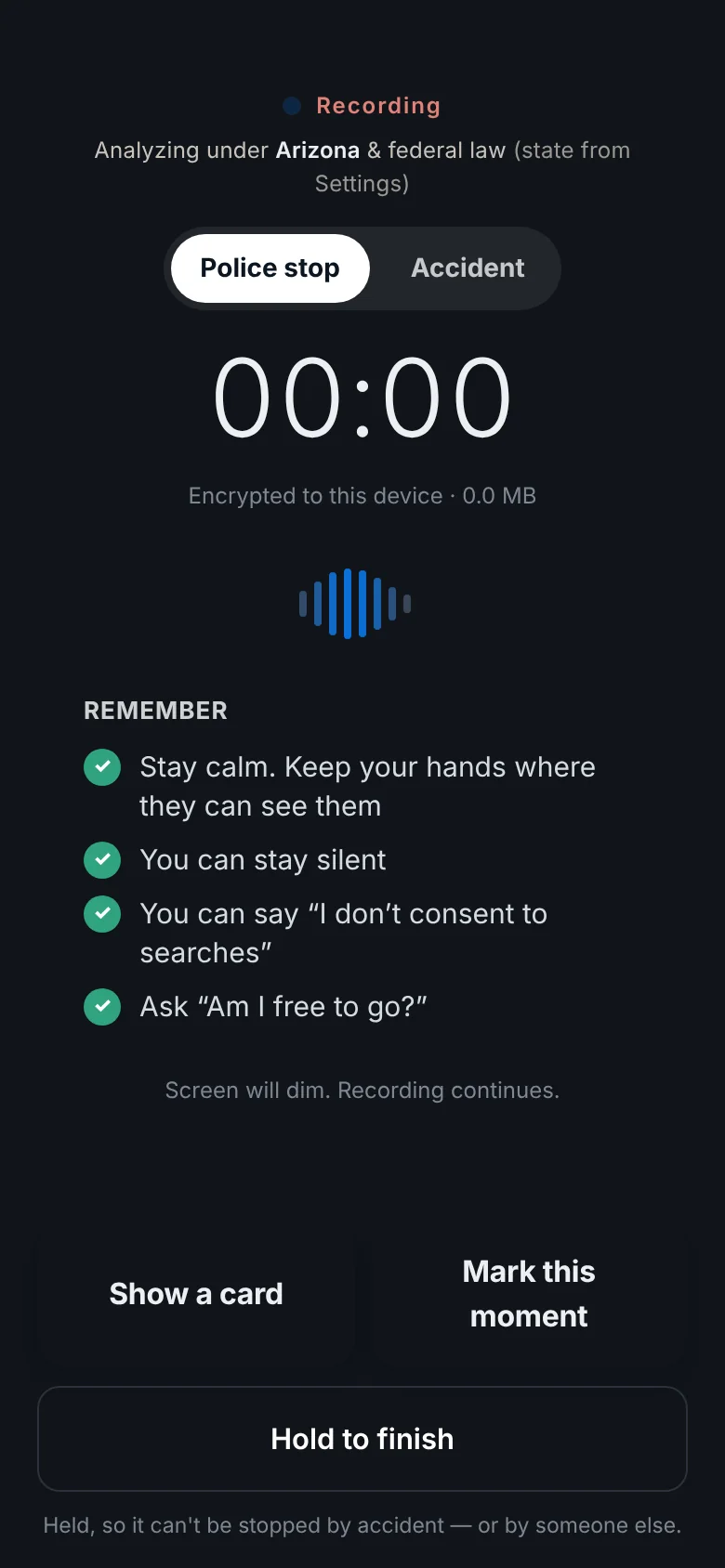
What it does
Hands-free start
Siri, the Action Button, a Lock Screen control, Back Tap or your Apple Watch. The app walks you through setting one up.
Keeps going, screen off
Audio keeps writing to your phone while it’s locked or dim. Video is optional and needs the screen on.
The rules on your screen
While you record, Invoked shows what you can say for your state, such as that you can stay silent or ask whether you’re free to go.
Mark this moment
Tap to mark something that matters while it’s happening, so it’s easy to find later.
Show a card
Hold up a card that tells an officer or another driver what you need, without a conversation.
Hold to finish
A deliberate press ends a recording, so a stray tap can’t stop it.
How it works
Three steps, and the app guides you through each.
- 1
Start it
One tap, or say it to Siri. Nothing to unlock.
- 2
Stay calm
The screen shows reminders and your state’s rules. You don’t have to remember them.
- 3
Finish
Hold to finish. It saves, encrypts and starts reading the transcript on your phone.
Crash alerts
If your phone senses a crash while you drive, Invoked asks whether you want to record. It doesn’t call 911.
Say you’re recording
Where a state requires telling people they’re being recorded, a reminder appears on the script screen.
Auto-delete, if you want it
Off unless you choose it. Recordings in a case, or ones you keep, analyze or send, are never auto-deleted.
Questions about recording
Does it keep recording when the phone is locked?
Yes. Audio keeps writing to your phone with the screen off. Video needs the screen on, so it’s optional.
Does it work without a signal?
Yes. Recording and transcription happen on your phone.
Can I use it as a passenger, or after an accident?
Yes. There are separate flows for police stops and accidents, and you can add a recording to a case afterward.
What does recording cost?
Nothing. Recording is free, and every recording you make stays yours.
Related guides
Can you record the police? What the law generally allows
Courts have recognized a right to record police in public, with limits. What that means, where state rules differ, and how to record without interfering.
5 min readRecording & safetyRecording tips for clear, usable audio during a stop or crash
Where to put your phone, how to start early, how to cut background noise and what to say so a recording of a stop or crash is clear and useful later.
5 min readRecording & safetyKeeping your recordings safe after a stop or crash
How to protect a recording of a police stop or crash: lock your phone, keep the original, back it up, share it carefully, and why not to post it first.
5 min readKeep exploring
Sentinel
Sentinel reads your police-stop and crash recordings, with your permission, and flags moments an attorney may ask about, with the exact words and times.
Learn moreEvidence packet
Invoked builds an evidence packet from your recording, answers, photos and notes: a timeline, findings and letters, organized the way an attorney wants it.
Learn moreLetters
Invoked writes the letters you need: bodycam footage requests, complaints, ticket contests, records requests and tow demand letters. You review and send them.
Learn moreThe app we hope you never need.
It takes two minutes to set up, and it’s there the moment you do.
Already have it? Sign in on the web.